
Field-service software for everyone
EspañolThe Whole Job. One System.
Quote, schedule and complete jobs in English or Spanish. Keep photos, time, invoices and payments together, so your team knows what comes next.
Paid pilot · Access by invitation. Personal onboarding and direct support from the Spanstead team.
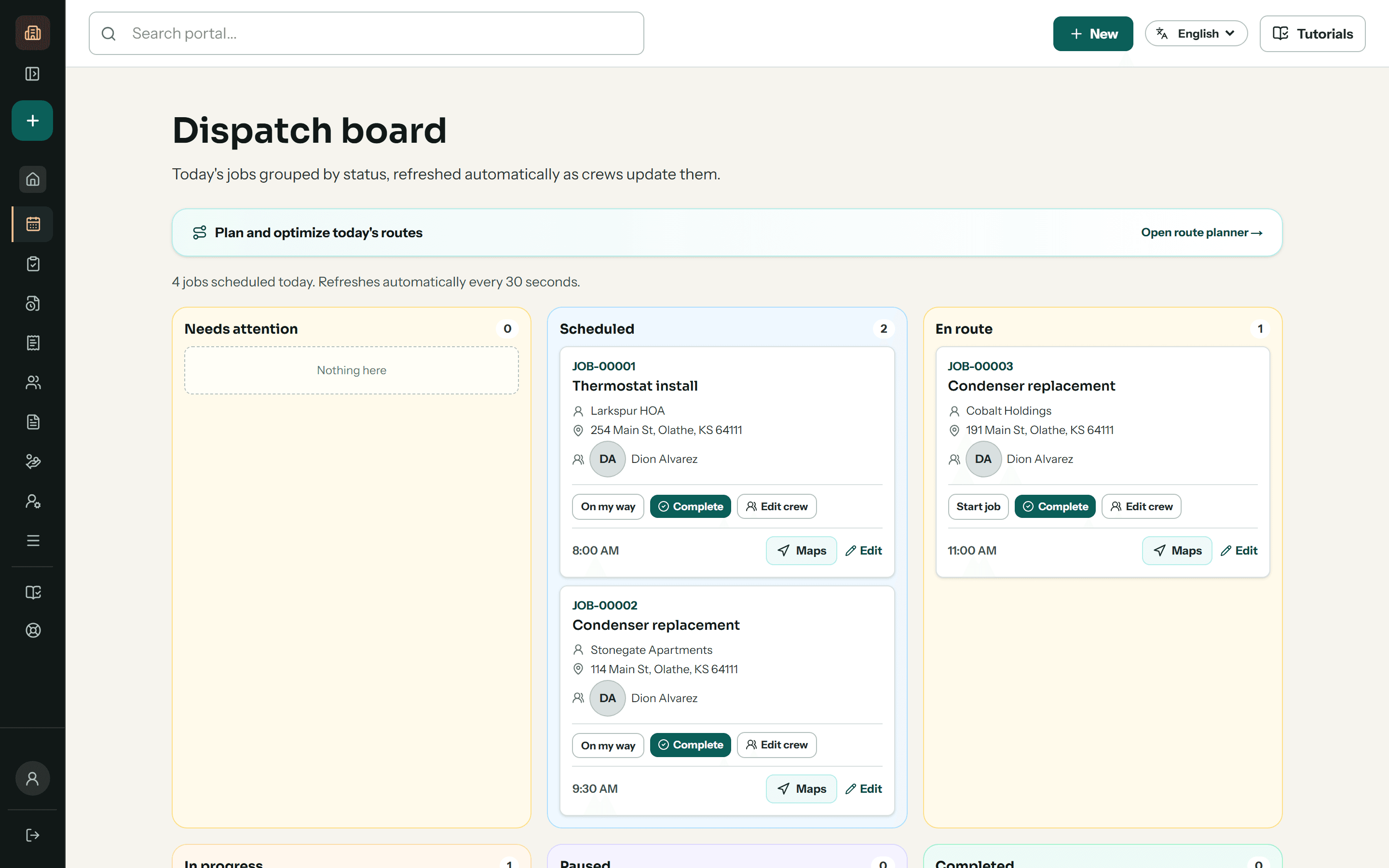
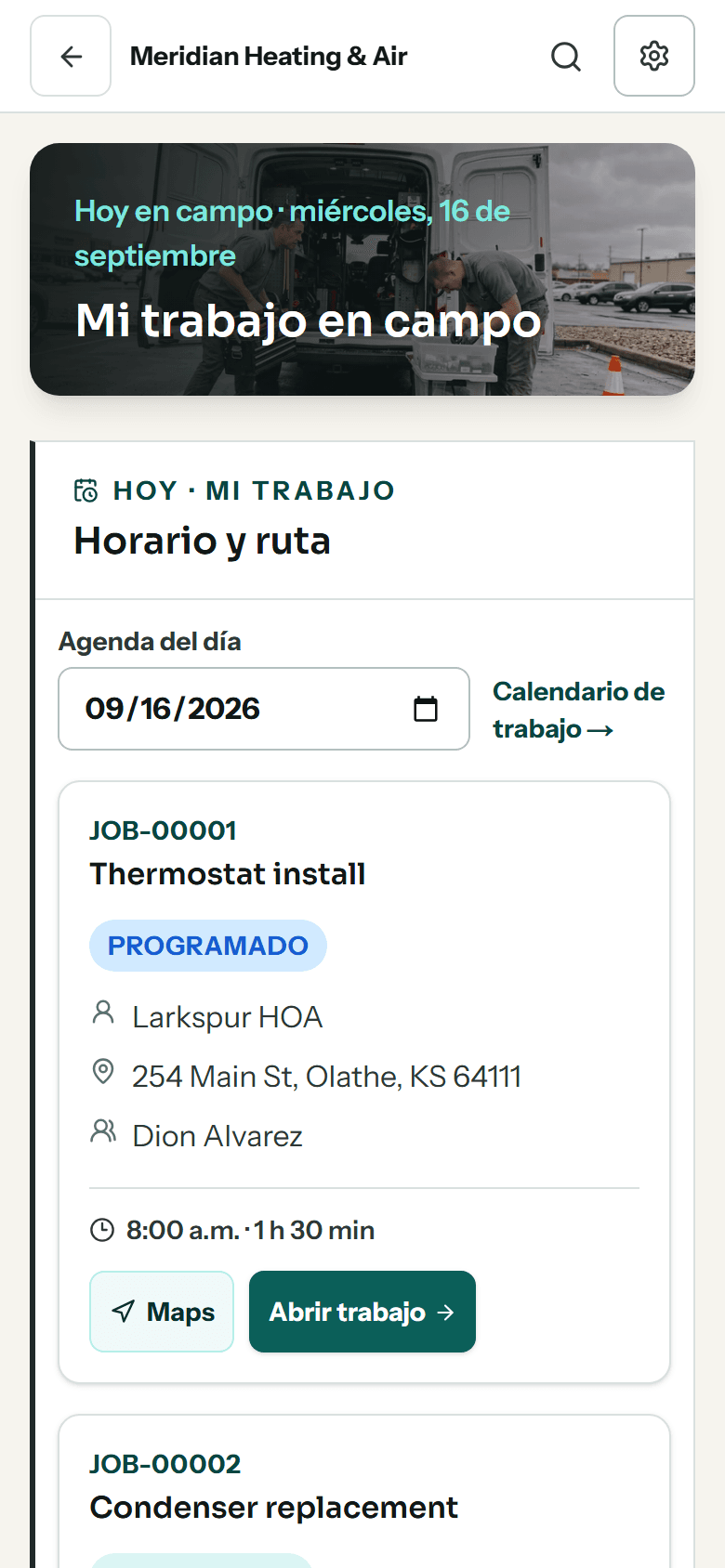
One job. Everyone working from the same record.
From the first estimate to the final payment, the office and crew can follow the work without rebuilding its history.
 01
01Quote and schedule
Keep the customer, property and estimate together. Assign the job and give the crew the details they need.
 02
02Do the work
Open assigned jobs in English or Spanish. Record time, checklists and photos on the job.
 03
03Invoice and follow through
Track the invoice, payments received and recorded job costs together. Keep your accounting system for the books.
Crew app
Your office and crew can work in different languages.
English and Spanish interfaces keep the daily workflow familiar. AI translation can also help with written job instructions, with the original available to check.
AI translation uses your plan’s AI credits and needs a connection for new translations.
See the crew workflow →- Assigned jobs
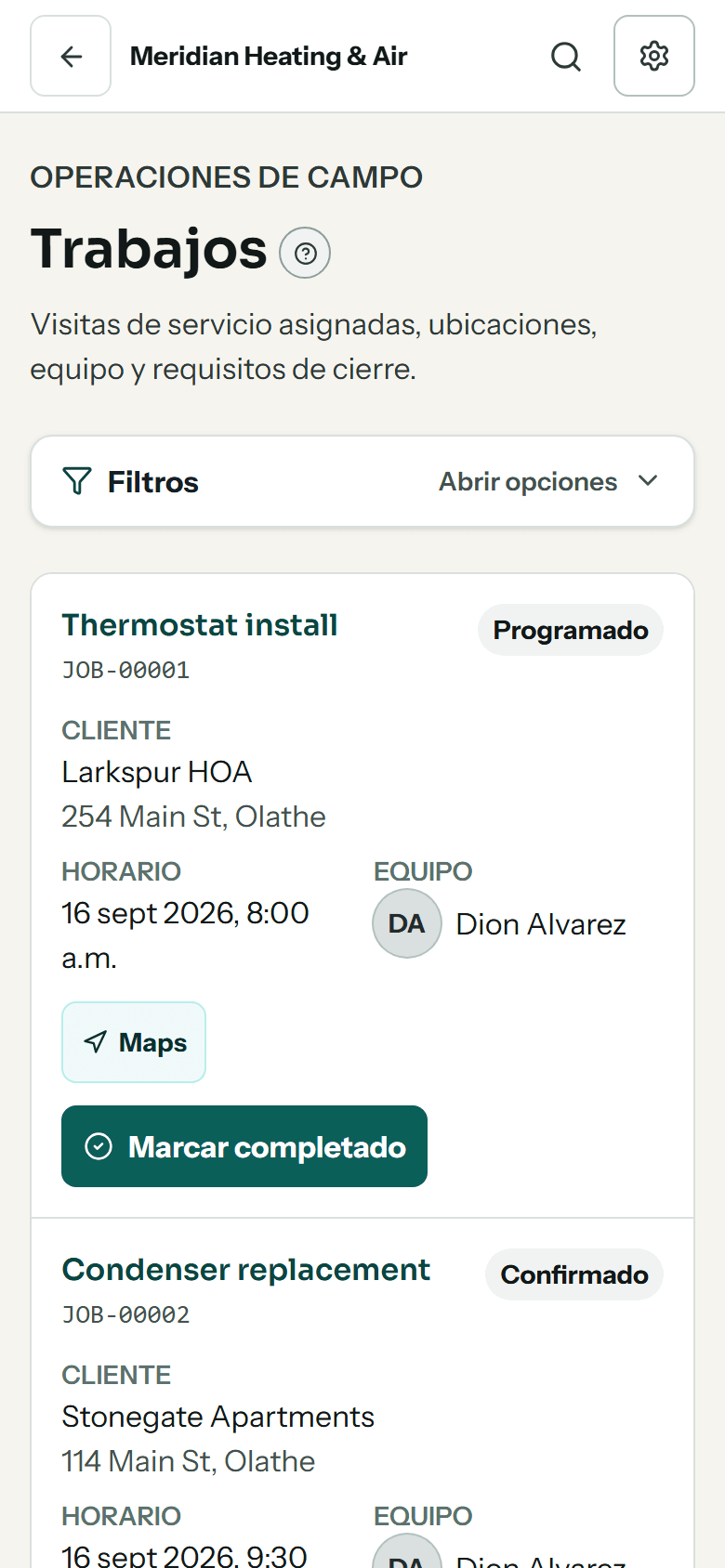
- Today's work
- Published route
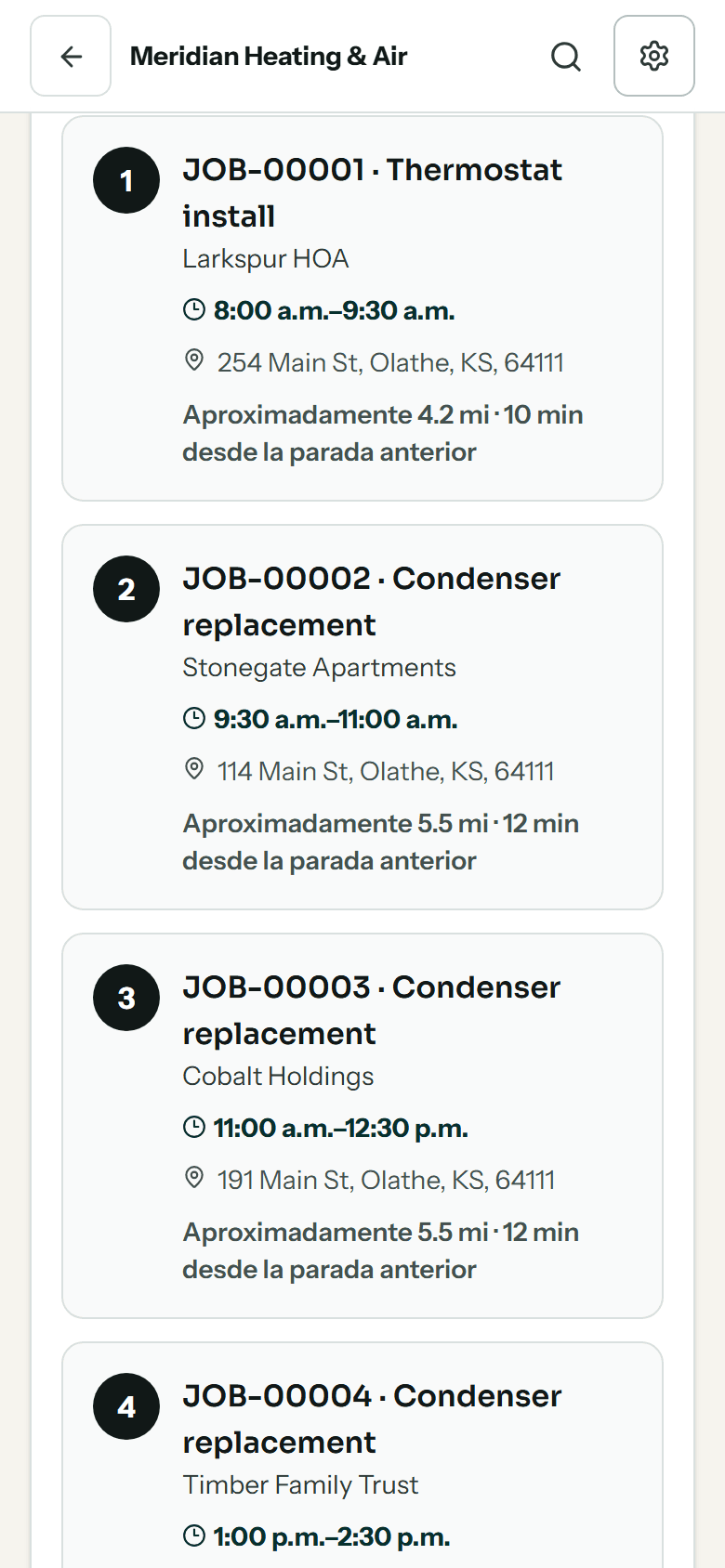
Shown in Spanish. Each person chooses their own language.
Customer portal
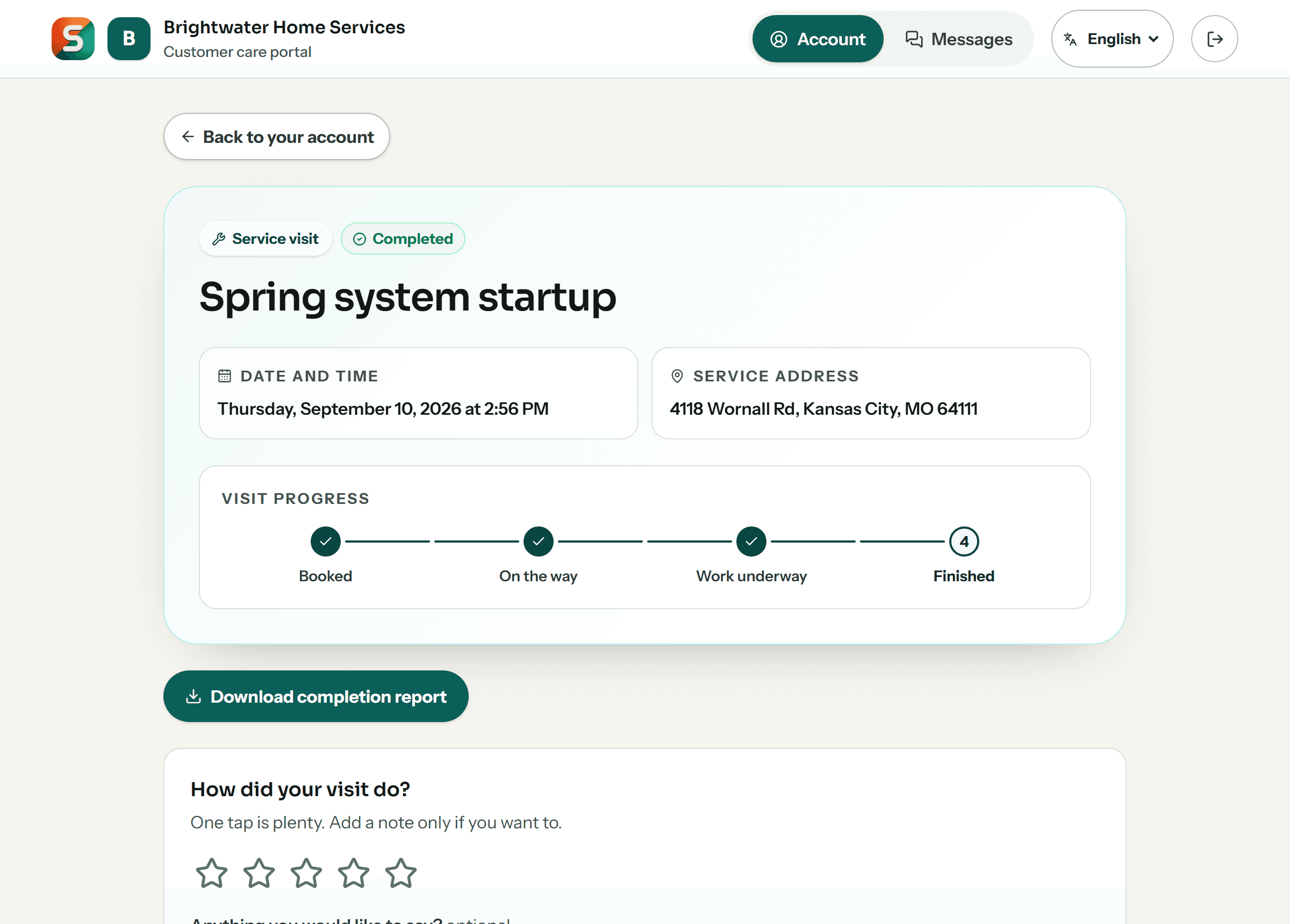
And your customers watch it happen, without phoning you.
Every customer gets their own account, free on every plan. It shows the same job record the crew filled in: a visit tracker that moves when a technician taps on site, the photos from the visit, and the invoice with a Pay now button beside it — under your name and your logo.
Customers can confirm an appointment, pay an invoice, and choose whether your updates reach them by text message or WhatsApp. They cannot move your schedule, change a job, or see anything belonging to anyone else.
Equipment, fleet and inventory
Every tool, truck and part, one scan from its record.
Find it, tag it, scan it. Track tools, trucks and stock by location, with the people and jobs that use them connected to the same records.
Inside Spanstead
Fewer steps in the work you do every day.
The work someone used to do by hand: reading a photo or a receipt, preparing before-and-after photos to share, ordering the stops, checking the sky and noticing what is slipping.
Start the estimate from a photo.
Upload a photo of the job and AI suggests the line items. When a line matches a service on your price list, it uses your own price. You pick what to add and can change any line before the estimate goes out.

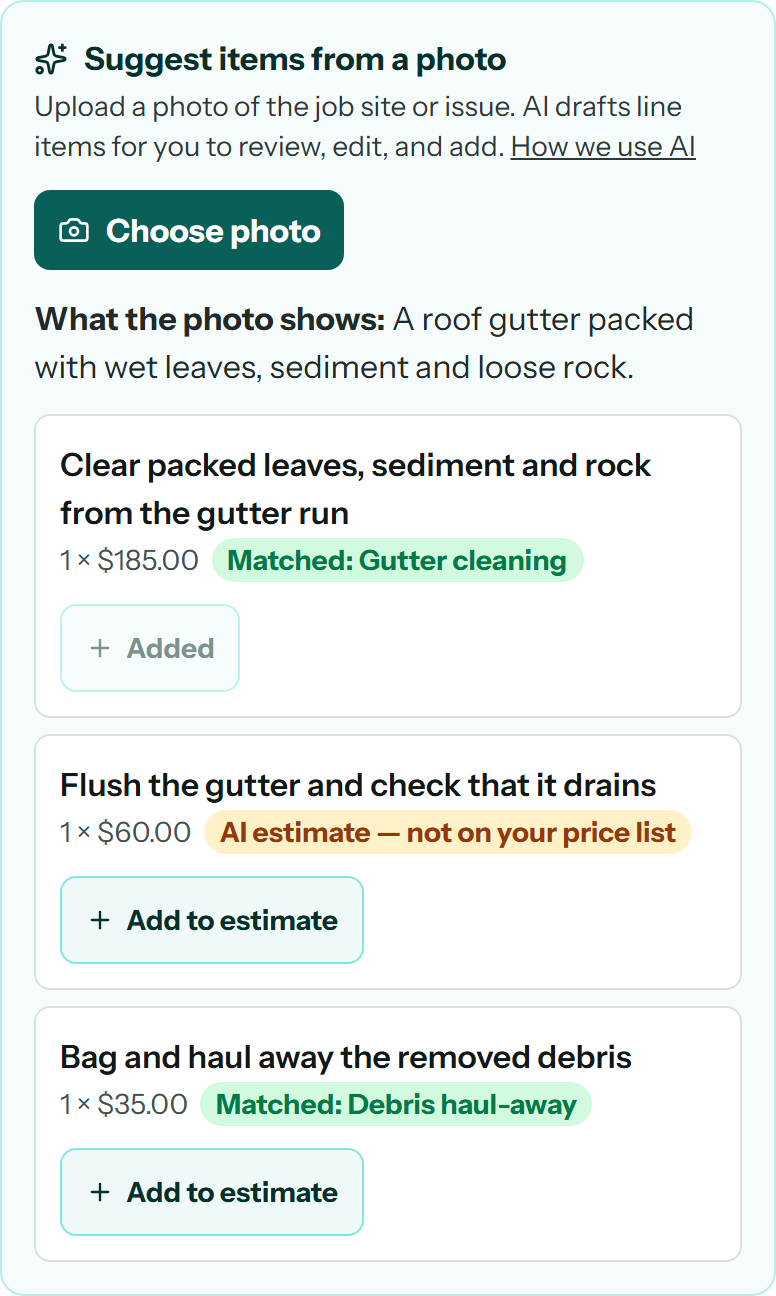
Real job photo. The suggested lines and prices are sample data, not a live AI result.
Product screenshots. The forecast, estimate suggestions, receipt, route, messages, alerts and assistant request use sample data.
Industries
Set up for the trade you run.
Each setup brings its own modules, fields and names for the work. Start from yours and change anything.
Switch with a plan
Bring your records. Review them before you move.
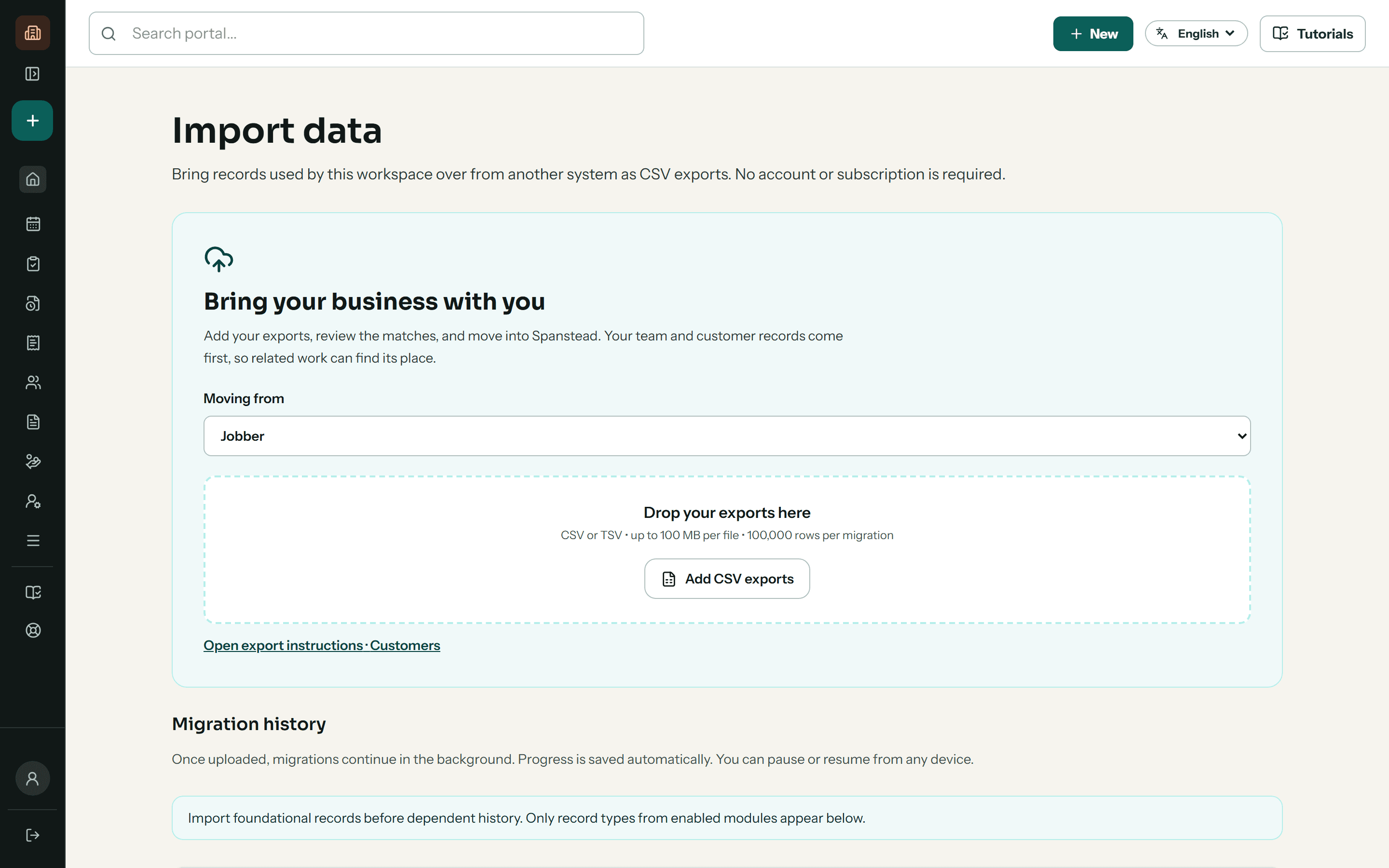
Start during onboarding with exports from FieldRoutes, Jobber, Housecall Pro, ServiceTitan or a spreadsheet. Preview field matches, review employee roles and check results before your team makes the switch.
See what moves and how →- 1Start with a sample
- 2Check the matches
- 3Preview and import
- 4Reconcile before switching
Import CSV or TSV files, then review your records before confirming.
For subcontractors
Track every bid, win the work, and get it signed.
From the first bid to the signed contract, with tools built for your trade.
Questions
What owners ask first.
Can my crew use it in Spanish while the office works in English?
Yes. Each person chooses their own language, and the same job, checklist and messages read in it. Written job instructions can be translated with AI, with the original one tap away. New translations use your plan's AI credits and need a connection.
How do I move over from FieldRoutes, Jobber, Housecall Pro or ServiceTitan?
Export CSV or TSV files from your current system and bring them in during onboarding. You review the column matches, team roles and results before anything is confirmed, and we go through the exceptions with you.
Does it work for subcontractors who bid to general contractors?
Yes. In construction and HVAC, plumbing and electrical workspaces, an estimate with the GC's bid deadline goes on a bid board, flagged 48 hours out with a reminder. You record it as submitted, won or lost and see your hit rate with each GC. If you hire subs yourself, construction workspaces can send invitations to bid and compare what comes back.
See construction and remodeling →Can my customers get text messages or WhatsApp?
Customer texting is an optional managed service: $59 setup and $39 per workspace per month after approval and activation. It includes one US local number and 1,000 combined incoming/outgoing SMS segments per calendar month. Optional $25 packs add 1,000 segments. Carrier approval is required. WhatsApp is separate and subject to availability.
Messaging setup →Does it replace QuickBooks?
No. It is not accounting software and not a payroll bureau. QuickBooks Online stays your ledger, and Spanstead syncs to it.
How is my business data protected?
Owners sign in with a second factor, connections use HTTPS, and roles limit who can work with your records. Spanstead does not hold its own SOC 2 certification, so we go through your security, export and recovery requirements before onboarding.
What we do with your data →How does the paid pilot work?
Apply with a short form; no card is needed and no account is created. We review the fit, then agree your plan, onboarding scope and billing before you enroll. You work directly with the team building Spanstead.
Ready when you are
Run your next job on one system.
Start with the customer and finish with the payment, the costs, and the margin still attached to the job.